> ## Documentation Index
> Fetch the complete documentation index at: https://docs.quivr.com/llms.txt
> Use this file to discover all available pages before exploring further.
# Introduction
> Donnez des super-pouvoirs à vos workflows
Les outils permettent à vos workflows de **récupérer des informations** et **effectuer des actions**.
## Comment ça marche ?
```mermaid theme={null}
flowchart LR
A[Client envoie un message] --> B[Workflow activé]
B --> C[Appel outil @get_ticket]
C --> D[Données récupérées]
D --> E[Réponse personnalisée]
```
**Exemple :** Le client demande "Où est ma commande ?". Le workflow appelle `@get_shopify_order`, récupère le numéro de suivi, et génère une réponse personnalisée.
## Utiliser un outil
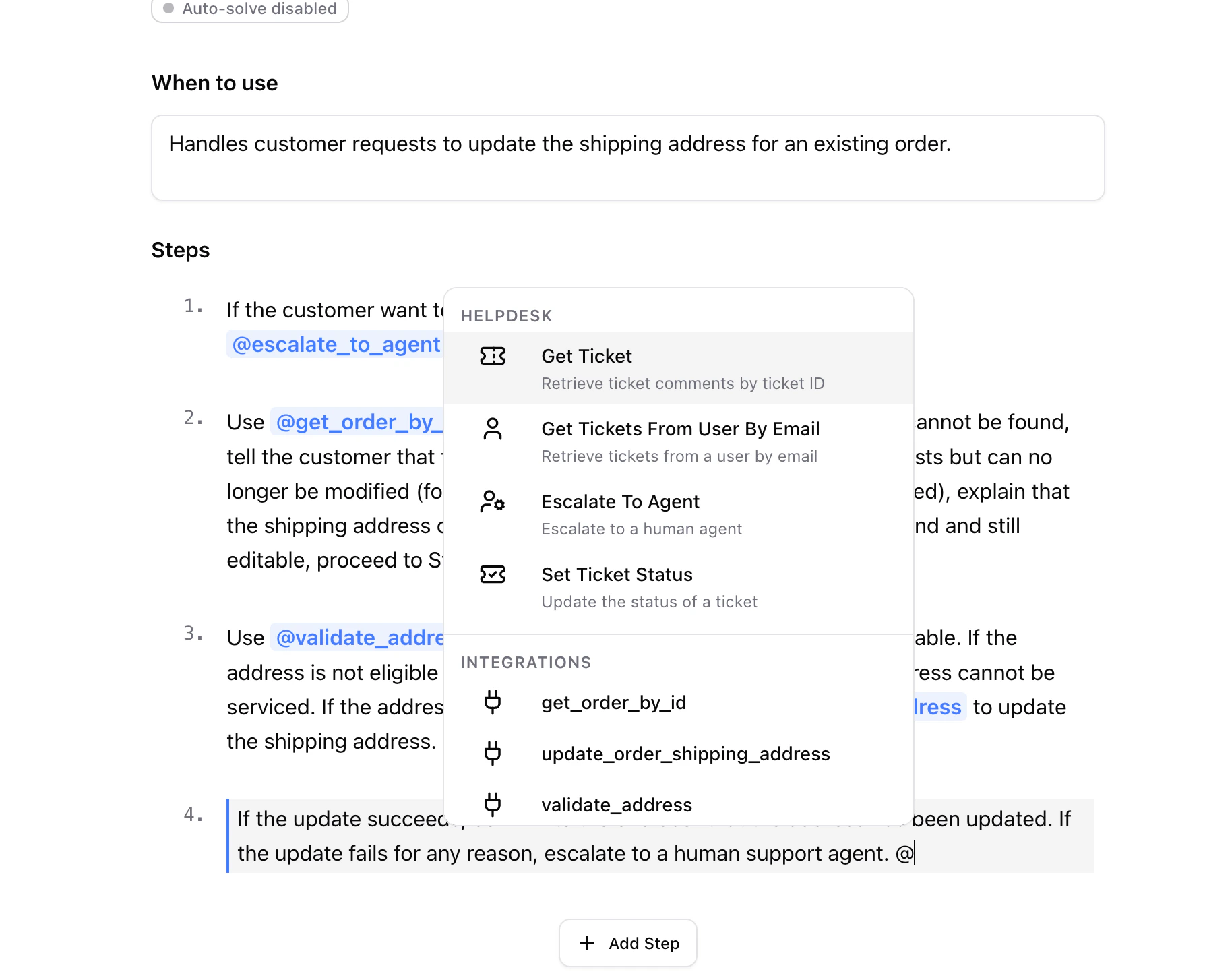
Dans vos instructions de workflow, tapez `@` pour voir les outils disponibles :
 ## Outils disponibles
| Outil | Ce qu'il fait |
| -------------------------------------------------------------- | --------------------------------- |
| [`@get_tickets_from_user_by_email`](/outils/historique-client) | Voir tous les tickets d'un client |
| [`@set_ticket_status`](/outils/changer-statut) | Changer le statut du ticket |
| [`@escalate_to_agent`](/outils/generer-brouillon) | Générer un brouillon pour l'agent |
## Aller plus loin
Capacités natives comme l'analyse d'images.
Shopify, La Poste, HiPay et plus.
## Outils disponibles
| Outil | Ce qu'il fait |
| -------------------------------------------------------------- | --------------------------------- |
| [`@get_tickets_from_user_by_email`](/outils/historique-client) | Voir tous les tickets d'un client |
| [`@set_ticket_status`](/outils/changer-statut) | Changer le statut du ticket |
| [`@escalate_to_agent`](/outils/generer-brouillon) | Générer un brouillon pour l'agent |
## Aller plus loin
Capacités natives comme l'analyse d'images.
Shopify, La Poste, HiPay et plus.